Tuesday, January 11, 2011

Day after the Snow

Life is so sweet when there is a blanket of snow outside. We are still advised by the news media that we should not venture out onto the streets unless we have to. I love the serenity of this enforced homeboundness. It stirs up memories of when I was a child and we would get to stay home on days that it snowed. We loved our routine being upset, getting up late in the morning and having hot chocolate and playing games.

Today is a kind of day like that. Normally, I do not get up and make a big breakfast. But today, I got a hankering for pancakes, eggs and bacon. So, that is exactly what i made: Banana pecan pancakes, scrambled eggs with cheese and turkey bacon. Jim and Katie loved it and so did I.

The snow is not popular with everyone here though. My three dogs don't know what it is and they are trying to avoid going outside. Lola, especially, who is afraid of her own shadow, is really freaked out by the snow. She wants no part of it, even when picked up and placed on the snow. Poor thing starts shivering even with her jacket on. She will be happy when it melts.

Monday, January 10, 2011

Snow here in Georgia

Is there anything more magical than waking up to a winter wonderland of snow. It cleans everything that it touches with its sparkly cover.

We anticipated the storm all day yesterday eventhough the weather reports said that it would begin after 8 PM. Just like little kids, we kept looking out the window for signs of impending snow.

Jim made numerous trips outside to gather tinder and logs preparing for a long winter's night. News anchors advised  all to stay home and away from traveling on what would become treacherous road conditions. Those with hilly driveways, parked below on the street.

We left the back porch light on, so as to not miss the first flakes. Around 9PM, we were thrilled to see the snow start. We went to sleep dreaming of sugar plums. LOL Well it felt like Christmas.

Outside Dining

Thursday, January 6, 2011

How I edit my portraits - A Tutorial

After conferring with my good friend Betty, of Artistic Expressions Photography,
http://artisticexpressionsphotographync.blogspot.com/, I decide to make some revisions to this tutorial. She had some valid points in making my changes. Thank you, Betty.

Photography is my passion, but shooting portraits is my absolute favorite thing to do. There is so much you can capture in expressions. As they say, the eyes are the windows to the soul. So here is my approach. It is not for everyone. I have been criticised for processing too much. Although no one is perfect, I like to make them as perfect as I can. Who wants to have the realism of moles and warts? Not me. Anyway, isn't that why "Glamour Shots" is so popular?

I have two programs that I use to edit: Photoshop Elements 7 & 9.

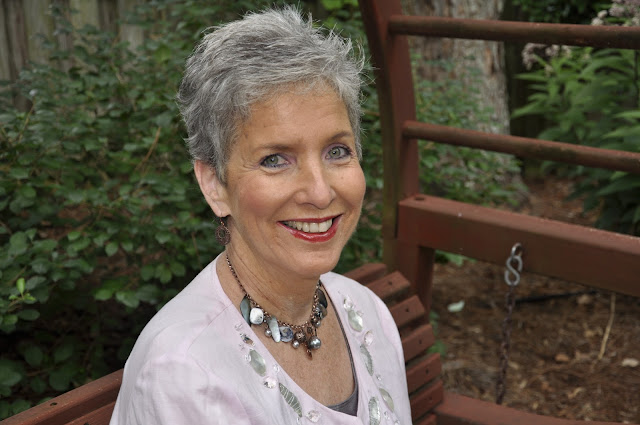
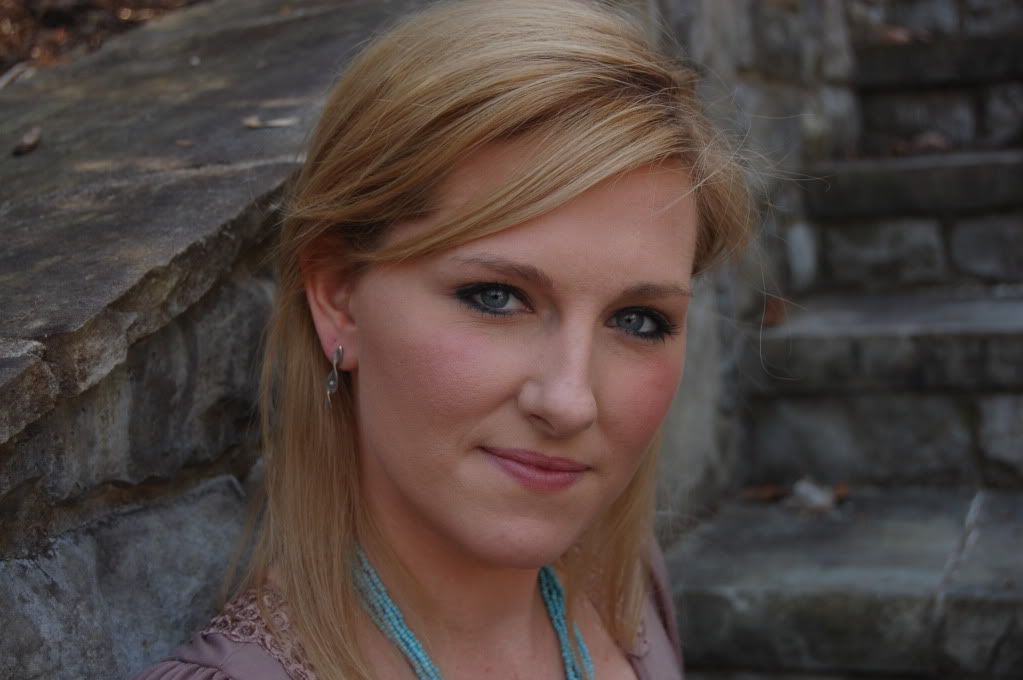
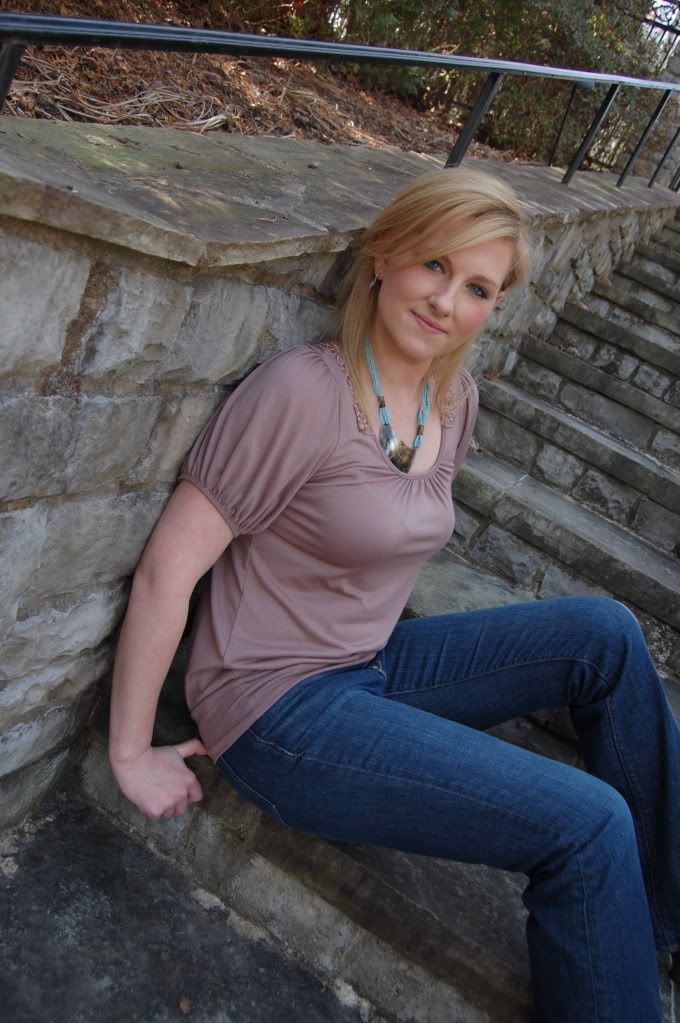
Below I have selected a photo of a friend, SOOC, ( straight out of camera).
The first thing that I do before anything else is to make sure that my exposure is what it is supposed to be. So even if I don't shoot RAW, I can still use the RAW dialog box by this method:
 Open your photo ( "Open As"), make sure that the file says "Raw". Then I make sure that the exposure is correct, usually I hit "auto". But there are times when you have to manually tweak it by moving the slider forward or backward until it looks correct to you.


 The next thing that I do is to lower the "Clarity". This gives you a head start on making the complexion like porcelain.
 There are other uses for opening up the RAW dialog box, but more on that in another post.


 Now we are going to have fun! We are going to get those eyes bright and beautiful!
Make a duplicate (Ctrl J) and take the zoom tool and zoom in very close to the eyes. Use the selection brush or any selection tool that you are comfortable with and set the pixels to a size that you are comfortable with.(Short cut: use the bracket keys to enlarge or reduce the size of your brush. Bracket keys are to the right of "P".
After you make your selections it should look like this:


Next we will put the selection of the eyes on their own layer by "Ctrl J" And it will appear like this:


Go to the Filter Menu at the top >"Other">High Pass at 7.1 pixels> hit "Okay". Not to worry about how weird it looks at this point, we will fix it.


Go to the layers palette and click on the down arrow to open up the blending modes>select "Soft Light" or "Hard Light", whatever looks best to you. If the effect is too much for you, you can always reduce the opacity. Flatten.


Most people have a little bit of red veining that takes away from the brightness of the eyes so we are going to fix that right now. Of course, make a duplicate of your background again: "Ctrl J". Take your zoom tool and fill your screen with one eye at a time. Using a soft white brush (shortcut, hit the "B" on your keyboard) and making sure that the tool is a brush and not the "Impressionist brush", set the pixels to about 25, opacity to 100; we will reduce it in a minute.Continue with the other eye. Try not to mess with anything outside the whites. Now zoom back a little so that you can see both eyes. It will look like this:


Before flattening the layers, go to the opacity above the layers palette and reduce it while looking at the eyes, until they look natural but don't show any imperfections. I will reduce mine to about 30%. Here is mine:


This lady has nice teeth, but I can't help whitening them just a touch. So here is what we are going to do: Make a selection around the teeth. This takes a little practise. Take your time. Remember that if you go over into the lip line, use the "alt" key and your selection brush to fix it. Her is how it will look:


Grab a white paint brush and brush all over the teeth. The selection lines will keep it in bounds.  I set my opacity at 29%, the same as the eyes. And it looks natural to me.This is what you will get:


"Ctrl D" to get rid of the marching ants. Then flatten.

Next, we are going to give her a "magic facial". Make a duplicate. Go to the filter menu>Blur>Gaussian Blur>12.0 radius. Hit "Okay". It will blur everything and look like this:


Next, you must hold down the "ctrl" key and the "create a new layer" icon and you will come up with a blank layer (looks checkered) between Layer 1 (top) and the background layer (bottom).
If at any time, you make a mistake, just go up to the "undo" key at the top of your page and start from that point.


Now, making sure that you have the top layer selected (Layer 1), hit "ctrl G". If you do this correctly (It took me a long time to get this right), your top layer should jump to the right a bit....like this:
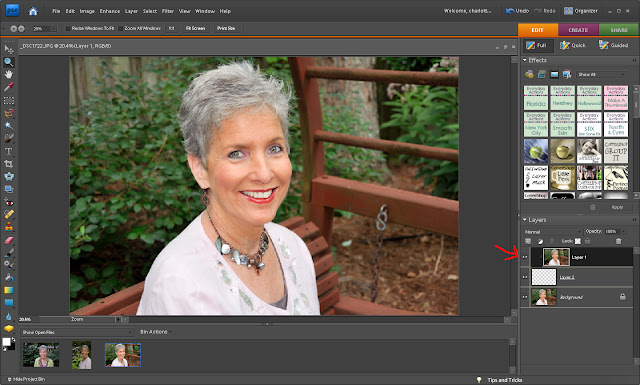

 
Notice how she is in focus again.

Now you are going to make the middle layer active by clicking on it (you can see that it is highlighted by a dark line around it). Grab a soft black brush, zoom into the face and start brushing carefully all the skin on the face, neck and sometimes arms. Do not touch the eyes, nostrils or the mouth, teeth, etc. You want those to be clear.

You will notice that while you are brushing away, that the checkered layer will get black, revealing the Gaussian blur layer and thus, softening the skin. Here is mine, partially done:


Now continue on all over the face, neck, chest and sometimes, the arms. Many people have sun damage that takes away from a perfect look and this Gaussian blur takes it away.
I wish I had some in my make-up drawer. Here is the finish of my brushing:


But, we are not finished yet. We need to back down the opacity so that we don't have a completely plastic look. We want her to look really good, not fake. I find that 63% works for me:


I am pleased with the processing thus far but this is when I will finalize by cropping and flattening:


Our final step will be to sharpen our photo, something I often forget to do. So you duplicate your photo, (ctrl J). Go to Filter>Other>High Pass>set radius to 2.8>click "okay". It will look weird like this:


Go to the blending modes above your palette and choose "soft light". You can click on the "eyeball" to see the before and after of the high pass sharpening. It is very slight.
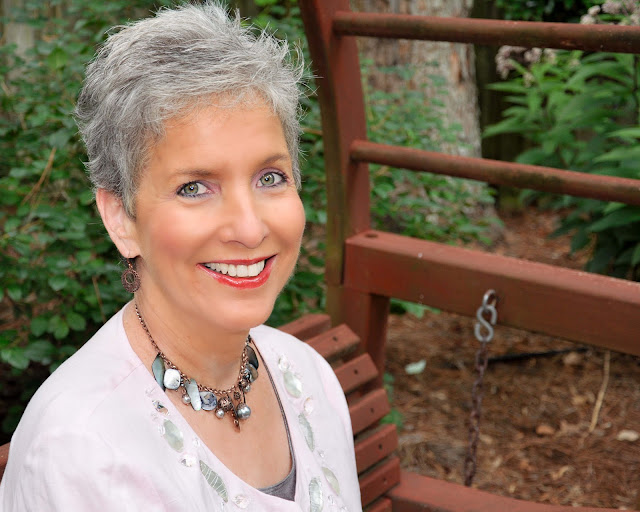
This is the final result:

Before
After

There you have it. I think I remembered everything. Hope you have fun with this tutorial. Once you get a little practice, it goes fast. This is what I do to clean up a portrait. When you have finished, you may want to add a texture or a special action to "jazz it up" even more. Cheers!


Wednesday, January 5, 2011

Did we stay too late at the party?

We must be very odd people to have kept our Halloween decorations this long but i didn't have the heart to throw them away and didn't have the energy to use them for cooking. So there they sat on our front porch along with two lighted Christmas mini trees in celebration.


Finally a day ago my sweet husband decided that they had to go in the compost bin. But first he put them on this crate. When I saw them, I asked him to leave them there while I made this picture. I just liked how they looked.

Blessings to you all!

Monday, January 3, 2011

Long ago and far away

Sometimes a tragedy has to happen in order for family to come together. Ours is not a close family although people are surprised that we are not. I am the oldest of 10 children born to parents who struggled to bring us up. They, as a lot of parents, had good intentions, but were overwhelmed with the job of parenting.

Since my sister died a day or two ago, ( it has not been made clear to me the time or day of her passing) I am suddenly in touch with my youngest sister who lives in Wisconsin. We have not spoken in many years as she always seemed too busy with her husband and three children or wasn't comfortable with email, my favorite way to correspond. Anyway, we spoke for a while on the phone about the arrangements to go to Martha's funeral mass and exchanged emails. The next day she sent me an email and enclosed a scanned slide from my days of modeling in NYC...short though they were. Ha! I had to clean it up a lot because it had scratches and dust galore. And film sure doesn't look as good as digital does now. But at least it is a memory.


I have no idea who took the photo or where it was. But here it is. The year was around 1970.

Sunday, January 2, 2011

May the angels guide you to your rest, my little sister!

Being as it is a Sunday morning, I woke up late and poured myself a cup of coffee that Jim had made before he left for church. He elected to take part in the honor guard as a knight for the 9 am Mass; I attended the vigil mass last night while he watched the Penn State Game with his brother. So I was alone.

Good thing we have caller id. When the phone rang as I was about to sit in my chair, I glanced at the phone screen: "Gaithersburg, MD". Now could it be my slightly eccentric sister who loves to talk (too early for me) or my other sister, Martha, who I have become closer to over the years? I waited until a voice message started and it was Phil, Martha's husband. In a broken voice he related the last few days of Martha's illness. It was after a wonderful Christmas celebration at her house with her children and grandchildren. Martha is a cancer survivor, but the treatment was what really weakened her system. She apparently contracted some virus. Phil tried to get her to the hospital but she hated hospitals and begged to stay home. Since they have been through so much together, related to her illness, he respected her wishes.

While helping her to the bathroom, she fell unconscious. 911 was summoned and she was taken to hospital, never to awaken. She was taken off life support yesterday, i believe.

Phil has been her best friend and care taker, besides a faithful husband. Martha had some very difficult years before they found each other.

Martha married early, around 20 years of age. Her dream was to be a wife and mother. And by all accounts, she was great at both. But she married a man who had different ideas about relationships. I know, there are two sides to everything. He cruelly divorced her, taking custody of both young children. She had no money to defend herself in those days.
She drank, I think, for years, to ease the pain of loss and lonliness. She adored those children.

Sadly, I cannot lay my hands on a photograph of Martha. I am a poor scrapbooker. But i have a picture in my mind, when she was visiting her in Georgia in the early 80's, wearing a red cowgirl hat that I had just bought her. That is how I will always remember her.

Martha, may you rest in peace. I will see you one of these days soon.

Love,

Your big sister

Saturday, January 1, 2011

Thoughts on the new year

Greetings,

And a Happy New Year to you all! For me , this new year represents a new slate, a new beginning. Now if only I will remember to date my checks "2011".

Yesterday, we had a New Year's lunch at Vingenzo's in Woodstock, Georgia. We met with good friends that we have known since our "Baptist Church" years. They also made the journey back to the Catholic Church and we are now attending the same church.

Now this is not your ordinary Italian American style cuisine...like Olive Garden. Not to put it down, Olive Garden has its place and it is very popular. But Vingenzo's...well, what can I say, it is authentic Napolitan food prepared by a fine chef. In house, they make their own bufala mozarrella cheeses, pastas and homemade sausages. They have a wood fired pizze oven that bakes pizzas at 800 degrees.

We decided on sharing a pizza as an appetizer. I forget the name of it, but it had tomato sauce, sausage and the aforementioned homemade mozzarella. The crust was cracker thin as it should be and it was wonderful at each bite.

Since they also make 4 different pastas each day, we had a good choice. I decided on the Pasta con Vongole, linguine with fresh clams. Also, had a salad with green olives, spinach and balsamic vinagrette. Every plate was clean at the end of our feast. Food and friends....it doesn't get much better than that!

All in all, it was a wonderful time to celebrate the coming new year. And then we went home and I was in my pjs at 5 PM. Ha! So much for ringing in the new year. We were asleep by 10.

On another note, I read a prayer from St. Francis that I would like to share:

"Lord of all longing, in our society of instant gratification, patience is not a cultivated virtue. Remind me that I do not need to immediately have all the things I long for and all the answers to my questions. In the waiting, we often learn much about ourselves, come to a greater awareness of what is truly important in life, and gain a better appreciation for the things we must await. "  St. Francis of Assisi

Blessings to all who read these words today!
 
© Charlotte Wilson
CoffeeShop Designs